LG Monitors Caught Installing Adware and App With Access to "All System Resources" Without Asking

Gamers Nexus tested an LG monitor and found it automatically installs an LG app on a Windows system without asking permission, which has access to "All System Resources" and includes McAfee ads.
The app in question, the LG Monitor App Installer, is available on the Microsoft Store and can access "All system resources" and "Access your internet connection."
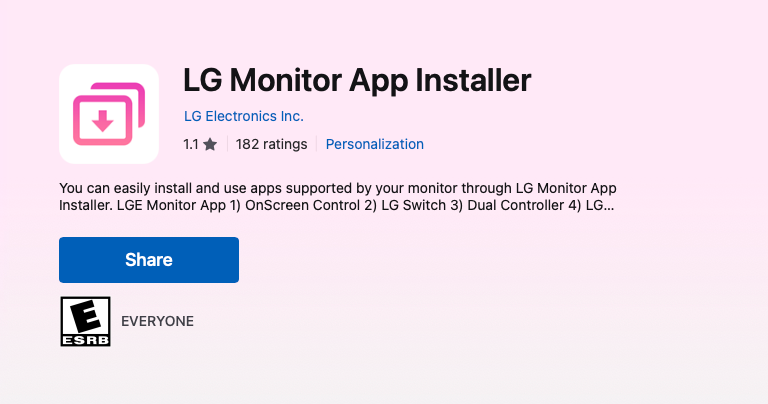
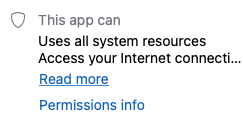
The app installs itself automatically via Windows Update when you plug your monitor into your Windows PC without a single prompt.
Once installed, the app will present a popup advertising a 30-day free trial of McAfee, essentially making the LG Monitor app unwanted adware. The app will also constantly popup advertising other "recommended" LG software, although in Gamers Nexus's testing, the McAfee ad was displayed the vast majority of the time.
Theoretically, with internet access, the app could change out the ads for other things, or exfiltrate data from your system.
The LG Monitor App Installer makes itself a startup application, so it will automatically run when you boot as well.
LG seems to have been doing this for years, with forum complaints from users dating all the way back to at least 2024.
Unwanted apps coming preinstalled on a system is nothing new. Typically, OEMs make shady deals with the likes of Norton antivirus and other bits of software no one willingly installs in order to have them installed by default on your new system.
What's not so typical is an external peripheral device like a monitor automatically installing unwanted programs such as these.
In Windows, when you plug in a new devices, Windows Update will automatically install the appropriate drivers so the device can work. Windows Update can also automatically install other software such as the LG Monitor App Installer without asking as well.
A reddit user on r/pcmasterrace describes how this "feature" can be disabled in the Group Policy Editor:
To disable this from happening again, you can change a local group policy setting:
gpedit.msc -> Computer Configuration -> Administrative Templates -> System -> Device Installation -> Prevent automatic download of applications associated with metadata
LG's TVs feature "AI-Based Services" installed by default and hidden in their Terms of Service is a line stating that you need to inform people in your house that they could be recorded in order to comply with wiretapping laws:
You acknowledge and agree that it is your sole responsibility to obtain all necessary consents from any third parties whose voices may be captured by the Product and to notify household members and guests that their voices may be captured and processed, in compliance with applicable wiretapping, eavesdropping, and privacy laws. If anyone does not consent, you should disable the microphone or voice features in the settings. LGE disclaims any liability for your failure to obtain such consent or provide such notification.
While this appears to be limited to their TVs for now, computer monitors might not be safe forever.
Community Discussion