Windows Update Stops Machines from Booting

The disastrous KB5074109 Windows update has reportedly caused some people's computers to fail to boot, among the myriad other issues.
The update came as a standard security update pushed to all windows users as Microsoft's first patch Tuesday update of the year. As such, the update is installed automatically for most Windows users.
Microsoft has officially acknowledged the issue in a support document found by Windows Latest:
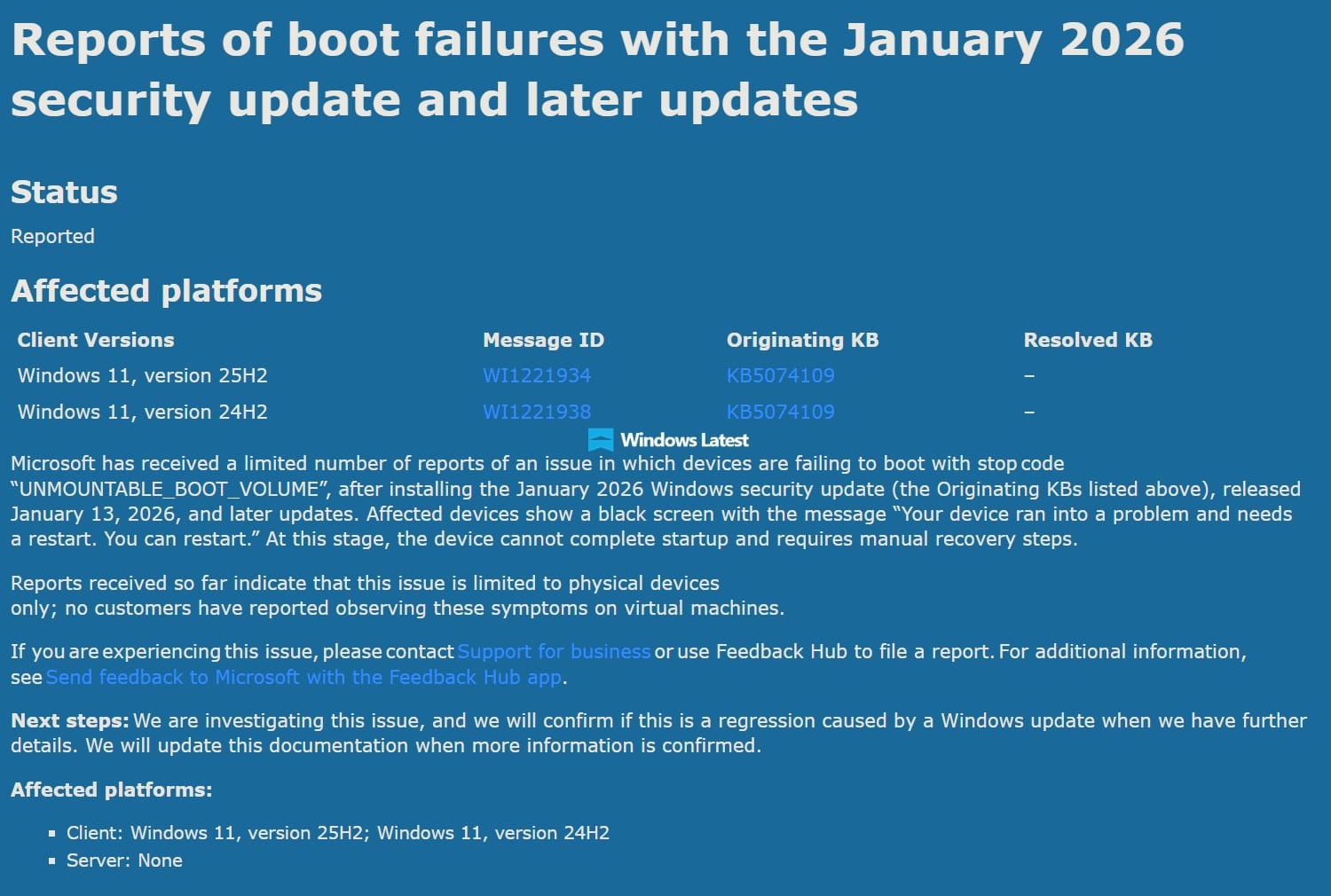
This comes after multiple previous issues had been reported with the same update. Microsoft officially acknowledged a few on their support page and have issued a few fixes, but users are still having problems and new ones seem to crop up as soon as the previous ones get fixed.
The update was causing Outlook to freeze for profiles using POP accounts and profiles using PST files. Specifically, the issue happens when you have PST files stored in OneDrive, Microsoft's non-E2EE cloud storage service that it likes to enable by default. The issue was fixed by Microsoft in an out-of-band update.
The update also caused failed sign-ins on for Remote Desktop on programs like the Windows App, an app for remotely connecting to Windows devices. The issue was fixed with another out-of-band update.
Citrix is having problems as well but seems to remain unaddressed for now.
Some computers with Secure Launch enabled were not shutting down properly and instead restarting after the update. Microsoft was able to fix it for some machines but they say they're still investigating the rest.
Microsoft recommended using Known Issue Rollback for at least one of the issues, however the feature doesn't work for security fixes. As a security update, most of it can't be fixed using this feature.
There are still more issues that Microsoft hasn't acknowledged as it continues to play whack-a-mole.
Users are reporting broken S3 sleep on their machines and wallpapers being changed to black. According to Windows Latest:
Windows Latest understands that there’s a regression bug in Windows 11 25H2 on the desktop S3 sleep path. Even with hybrid sleep and wake timers disabled, the system-level Maintenance Activator (SystemEventsBroker) does not properly clear the maintenance wake context after the first wake, causing the second sleep to wake immediately.
There's even a reported bug where the keyboard and mouse don't work correctly.
This is not a great start for Windows in 2026. Microsoft needs to improve its quality assurance so incidents like this don't happen again.
Community Discussion